Key takeaways
What you will learn
- Good calibration starts before solving: image diversity, target visibility, focus, and coverage matter.
- Validation protects the solver from weak frames, partial detections, and repeated poses.
- RMS reprojection error is useful, but it should be read with per-image diagnostics and sensor coverage.
- Undistortion and rectification are application choices, not just mathematical afterthoughts.
- Production exports should include K, D, lens model metadata, image size, quality metrics, and correction settings.
Why camera calibration is an end-to-end workflow
Camera calibration is often described as a single mathematical solve, but production teams experience it as a workflow. The result is only as trustworthy as the images you capture, the target detections you approve, the model you select, and the way parameters are exported into the systems that consume them.
The goal is to estimate how a specific camera maps the 3D world into 2D pixels. That estimate usually includes the intrinsic camera matrix, distortion coefficients, the lens model, the image size used during solving, and quality diagnostics such as reprojection error. Once these values are known, the same camera can be used more reliably for geometry, measurement, robotics, inspection, mapping, 3D reconstruction, or any computer vision workflow that depends on image geometry.
A reliable process does not hide decisions. It records which frames were used, which frames were rejected, which model won, how errors were distributed, and which undistortion settings were chosen before export.
Step 1: capture calibration images with real diversity
The most common calibration failure starts with the dataset. A camera pointed at the same target from nearly the same angle twenty times may produce a solve, but it will not teach the model enough about the lens across the full image. You want the calibration pattern to move through the center, edges, and corners of the sensor, with different tilts, distances, rotations, and positions.
For a chessboard, ChArUco board, ArUco grid, or circles-grid target, the board should be sharp, well lit, and visible enough for reliable point detection. You should avoid motion blur, severe glare, repeated poses, tiny boards that occupy only a small image region, and captures where the pattern is clipped beyond useful recognition.
A practical rule is to collect more frames than you expect to keep. Then validation can remove weak images without starving the solver. This is especially important for wide-angle and fisheye cameras, where edge coverage strongly influences the quality of undistortion near the border of the frame.
- Move the target through the full sensor, not only the center.
- Vary distance, rotation, and viewing angle.
- Keep corners or markers sharp enough for sub-pixel localization.
- Capture enough images so weak frames can be rejected later.
- Include edge and corner coverage for wide-angle lenses.
Step 2: detect the calibration target
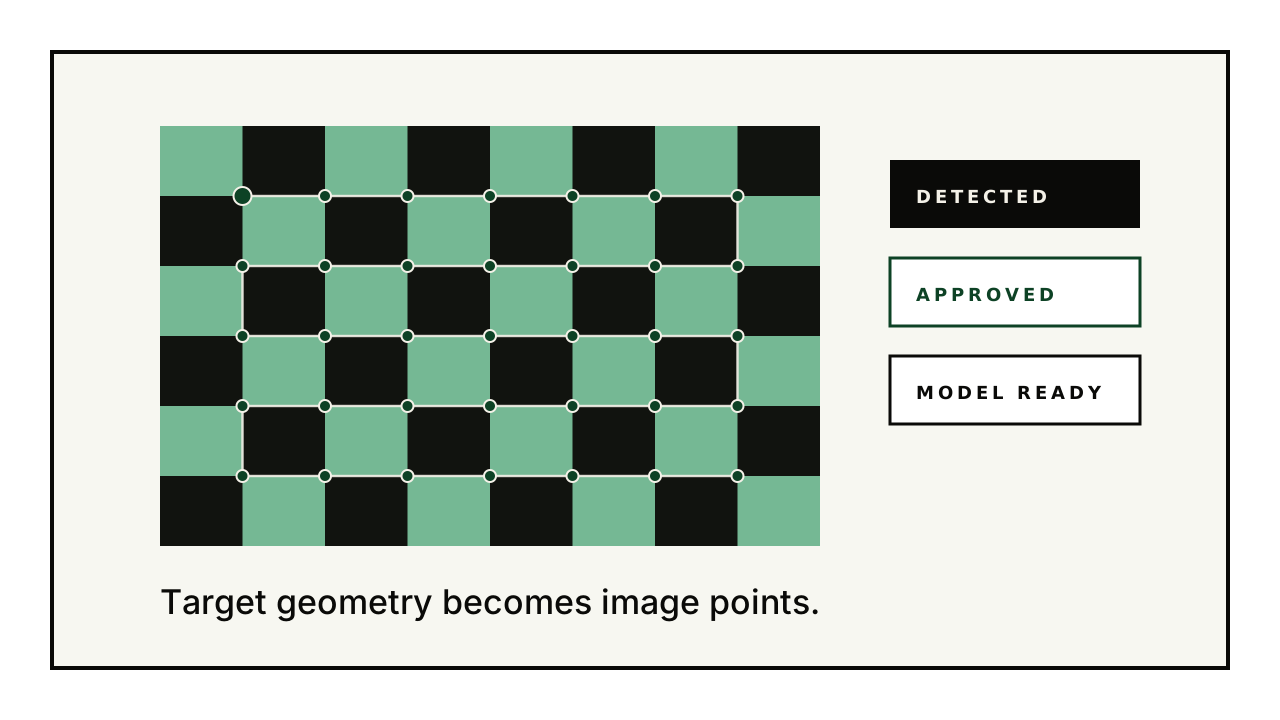
After upload, the system needs to find known points in every image. These points are the bridge between the physical calibration target and the pixel coordinates in the image. OpenCV-style calibration workflows use object points, which describe known target geometry, and image points, which describe where those target points were detected in the image.
Different target families create different detection behavior. Chessboards can produce precise corners when the full grid is visible. ChArUco boards combine marker identity with chessboard-like corners, making them robust for partial views. ArUco grids can be useful when marker identity matters and partial detections are expected. Circles-grid targets are often useful in controlled industrial setups.
Detection should not be treated as a black box. A reviewable overlay makes it clear whether the board orientation, detected points, and target identity are correct before a frame influences the solve.
Step 3: validate every frame before solving
Validation is where calibration becomes auditable. Instead of sending every detected frame into the solver, the user reviews the evidence. Clean frames can be approved. Weak frames can be rejected. Images with no useful target can be marked as no pattern. Pending frames can stay visible without quietly entering the solve.
This step protects the calibration from common problems: blurred frames, false detections, bad board orientation, repeated target poses, low-confidence corner localization, and frames where the pattern is visible but not useful for the final model.
Validation also makes the project easier to explain later. If a camera result is questioned, the team can see exactly which images contributed to the solve and which were excluded.
Step 4: solve the camera model
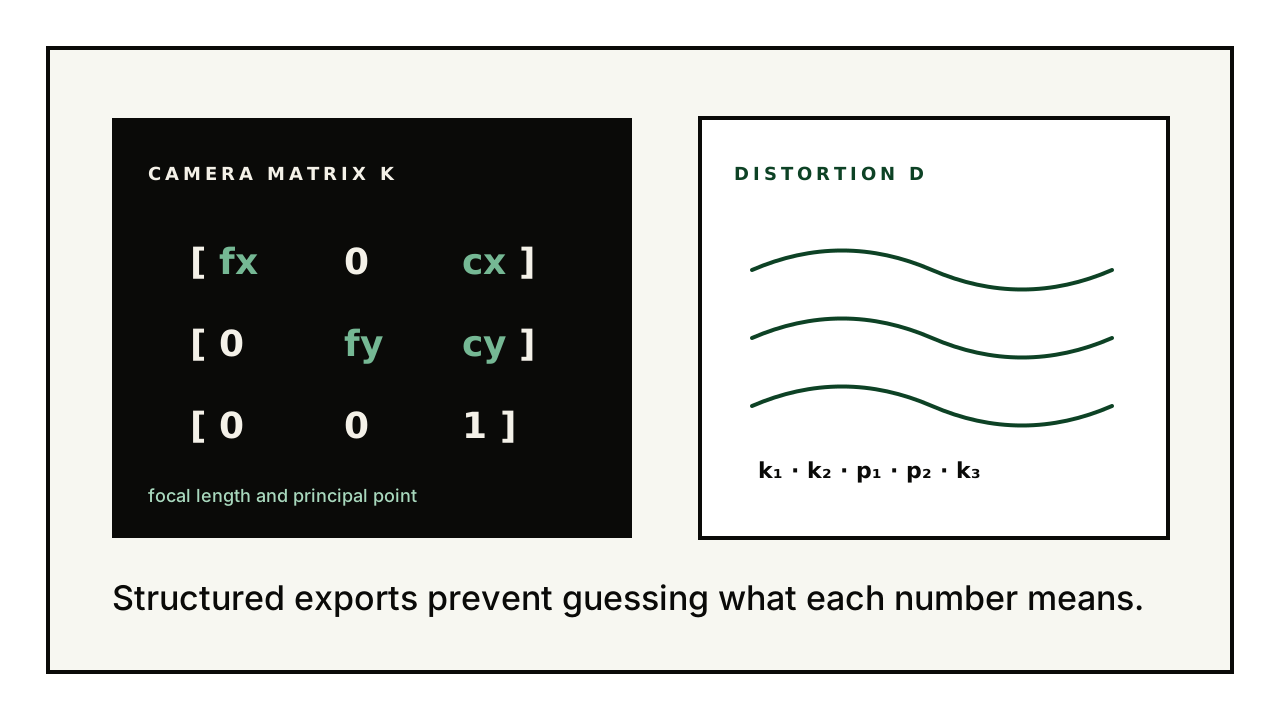
Once the approved frames are selected, calibration estimates the parameters that best explain the observed target points. In a pinhole model, the camera matrix usually contains focal lengths fx and fy and the principal point cx and cy. Distortion coefficients describe how the lens bends points away from the ideal pinhole projection.
OpenCV documents radial and tangential distortion terms for common pinhole calibration. Radial distortion is responsible for barrel or pincushion-like bending, while tangential distortion appears when the lens and image plane are not perfectly aligned. Wide-angle and fisheye models use different assumptions and should be compared when the lens geometry calls for them.
The practical output is not just one number. A calibration run should store the selected model, K, D, image size, RMS reprojection error, per-image errors, and enough metadata to reproduce how the solve happened.
Step 5: read reprojection error carefully
Reprojection error measures the distance between detected image points and the points predicted by the solved camera model. RMS reprojection error compresses those distances into a single quality value, which makes it useful for comparing runs and camera models.
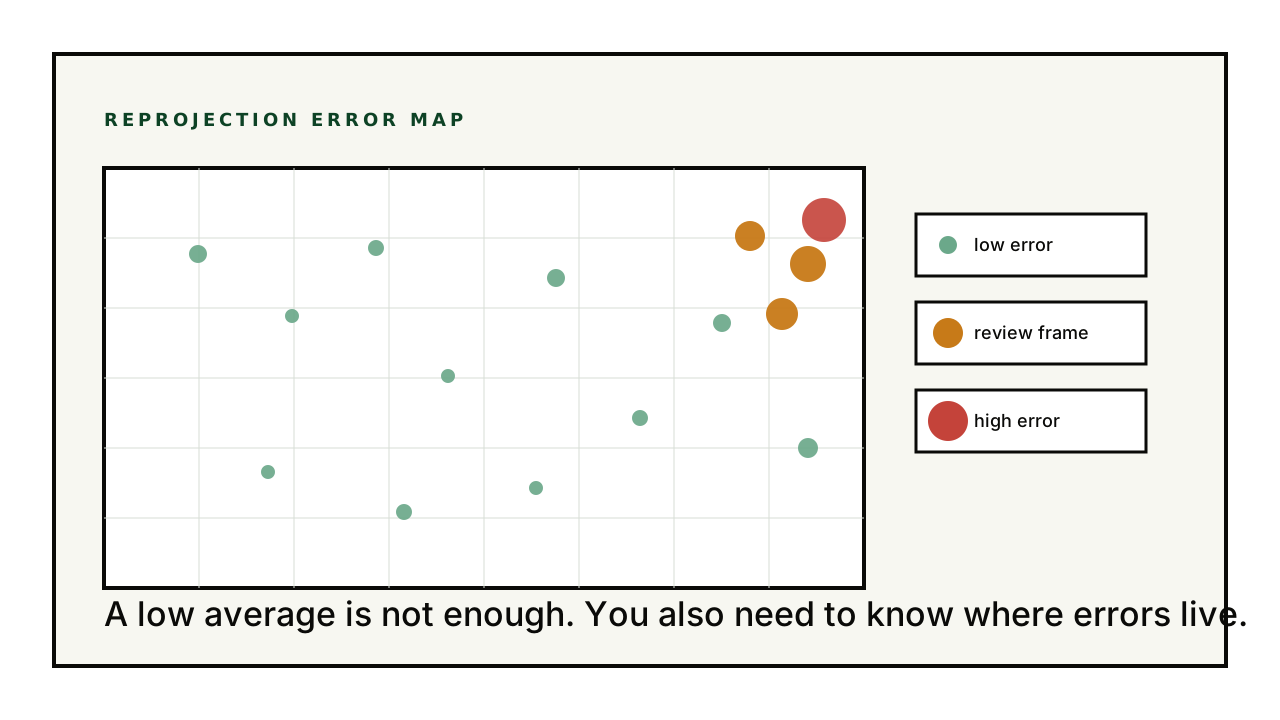
One number is not enough. A calibration can have a good average while still hiding weak frames, poor edge coverage, or a small group of high-error images. That is why analytics should show per-image contribution, sensor coverage, RMS trends, and error maps. The question is not only whether the average is low, but where the errors live.
For production use, teams should compare several signals together: best RMS, worst frames, number of approved images, target coverage, and how corrected images look after undistortion.
Step 6: undistort and rectify sample images
Calibration estimates the model. Undistortion applies it. OpenCV describes undistortion as transforming an image to compensate for lens distortion, typically through mapping and remapping. In practical workflows, this is where the team verifies that straight lines, usable field of view, and crop behavior match the needs of the downstream system.
Rectification choices are especially important for fisheye and wide-angle cameras. A stronger correction may crop more of the image or introduce empty pixels near the borders. A lighter correction may preserve more field of view while leaving more distortion. The right balance depends on the application.
This is why a platform should keep solved calibration parameters and manually rectified settings understandable in the export. The original solve explains the camera. The rectified settings explain how the team decided to use the camera.
Step 7: export parameters for production systems
A production export should be structured enough that another engineer, script, SDK, or robot can load it without guessing what each number means. Raw arrays are not enough. The file should name focal lengths, principal point, distortion coefficients, image dimensions, lens model, RMS metrics, and any undistortion or rectification settings.
For OpenCV-style pipelines, the export should make it easy to rebuild the camera matrix and distortion vector exactly. For SDK usage, the export should carry enough metadata for a single undistort function to choose the correct model and correction behavior automatically.
This is where the workflow becomes portable. The same result reviewed in the platform can be used locally, in notebooks, in CI tests, or inside production perception software.
- Use named keys for fx, fy, cx, cy, and distortion coefficients.
- Store the original image size and the output rectification size.
- Include lens model and calibration pattern metadata.
- Include RMS and per-run quality information.
- Version the export schema so future SDKs can load it safely.
The CalibrX view of calibration
CalibrX treats camera calibration as an auditable production workflow: upload, detect, validate, solve, analyze, undistort, rectify, and export. Each step exists because a calibration result should be explainable, repeatable, and usable outside the platform.
That approach is useful for teams working with robotics, drones, autonomous inspection, multi-camera systems, 3D scanning, medical devices, industrial quality control, and research pipelines where camera geometry is not a side detail. It is part of the system contract.
Further reading
- OpenCV: Camera Calibration tutorialOverview of intrinsic parameters, distortion, calibration, and undistortion.
- OpenCV: Camera calibration with OpenCVC++ tutorial describing radial and tangential distortion factors and output matrices.
- OpenCV calib3d: undistortAPI reference for image undistortion and calibration-related functions.
- CalibrX — calibration pattern generatorPrintable chessboard, ChArUco, and ArUco targets for the capture step of this workflow.
- CalibrX — camera calibration softwareThe browser workflow that runs detection, calibration, validation, and export end to end.